Search This Blog

Showing posts with label DepEd forms. Show all posts

Download the School-Based Consolidation Data Sheet for SY 2025

If you’re a school head, teacher, or guidance counselor in the Philippines, you know how critical it is to properly document and report learner-related cases—whether it’s bullying, child abuse, children-at-risk (CAR), or other learner protection concerns.

The School-Based Consolidation Data Sheet is not just another form to fill out—it’s a lifeline for schools to ensure accountability, intervention, and protection for learners. But with so many versions floating around, finding the updated, ready-to-use template can be stressful.

Download the School-Based Consolidation Data Sheet for SY 2025

In this post, we’ll walk you through:

  • What the School-Based Consolidation Data Sheet is

  • Why it’s important for compliance and child protection

  • Step-by-step guidance on how to use it

  • A free download link for the complete data sheet template

This way, you can save time, stay compliant with DepEd guidelines, and focus more on creating a safe learning environment for your students.


What Is the School-Based Consolidation Data Sheet?

The School-Based Consolidation Data Sheet is an official reporting tool required by the Department of Education (DepEd). It consolidates data on:

  • Incidents of Bullying (physical, verbal, written, cyber, and retaliation)

  • Incidents of Child Abuse (physical, sexual, verbal, psychological)

  • Children-at-Risk (CAR) (e.g., from dysfunctional families, gang involvement, substance use)

  • Children in Conflict with the Law (CICL)

  • Other Learner Rights and Protection Concerns (e.g., child labor, trafficking, OSAEC, gender-based violence)

Each section includes detailed fields such as:

  • Names, ages, gender, and disability status of victims and perpetrators

  • Nature and effects of incidents (social, psychological, physical, etc.)

  • Academic and enrollment status before and after intervention

  • Actions taken by the school

  • Case status (resolved, ongoing, or referred to government/non-government agencies)

It’s more than paperwork—it’s a safeguard for learner welfare.


Why Schools Need to Use This Data Sheet

Still wondering why this form is so important? Here’s why:

✅ Compliance with DepEd and Child Protection Policies

DepEd mandates schools to submit consolidated reports as part of the Child Protection Policy. Failure to comply may affect school evaluations and accountability.

✅ Monitoring Learner Well-being

The data sheet helps identify trends in bullying, abuse, and other risks. For example, repeated cyberbullying cases in a particular grade level could signal a need for stronger digital citizenship programs.

✅ Transparency and Intervention

By recording actions taken—whether counseling, referrals, or ongoing interventions—the school shows its active role in protecting learners.

✅ Supporting Evidence for Programs and Interventions

When seeking support from LGUs, NGOs, or DepEd divisions, having well-documented cases strengthens the school’s advocacy for child protection resources.


How to Use the School-Based Consolidation Data Sheet

Here’s a simple guide for school heads, teachers, and guidance counselors:

1. Gather Reports from Class Advisers and Teachers

Every teacher must promptly report any incidents to the guidance office or child protection committee. Consolidate these reports before encoding them.

2. Fill Out Each Category Carefully

  • For Bullying, record details by type: physical, verbal, written, cyber, or retaliation.

  • For Child Abuse, document whether physical, sexual, verbal, or psychological.

  • For CAR and CICL, note classifications like substance use, gang involvement, or law violations.

  • For Other Concerns, include issues like child labor, OSAEC, or gender-based harassment.

3. Record Actions Taken and Status

Indicate whether the school provided counseling, referred the case to social workers, or coordinated with LGUs or NGOs. Update the status regularly (resolved, ongoing, referred).

4. Maintain Confidentiality

Use initials or codes when submitting reports to protect the identity of learners, especially in cases involving sensitive issues like abuse or exploitation.

5. Submit to the Division Office on Time

Schools are usually required to submit consolidated reports at the end of each school year or when requested by DepEd. Timely submission ensures accountability and smooth compliance.


Free Download: School-Based Consolidation Data Sheet Template

To make things easier, we’ve prepared a downloadable, editable template that you can use right away. It covers:

  • Bullying Report Forms

  • Child Abuse Reports

  • Children-at-Risk (CAR)

  • Children in Conflict with the Law (CICL)

  • Other Learner Rights & Protection Concerns

๐Ÿ‘‰ Download the School-Based Consolidation Data Sheet

This template follows the official structure and can be directly filled out by schools for faster reporting.


Conclusion & Call-to-Action

Every Filipino learner deserves a safe and nurturing school environment. By diligently completing the School-Based Consolidation Data Sheet, schools strengthen their commitment to child protection, accountability, and learner welfare.

Don’t wait until the deadline stresses you out. Download the updated template now, customize it for your school, and make reporting easier and more accurate.

๐Ÿ“Œ Your turn: Have you experienced challenges in consolidating school reports? Share your thoughts in the comments below—or forward this resource to a fellow teacher or school head who might need it.

eSF7 Announcements And Updates: What Teachers Need To Know This School Year

Ever feel like school forms just keep evolving faster than we can keep up? ๐Ÿ“„ If you’re a teacher or school head, you’ve probably heard about the eSF7 announcements and updates for SY 2025–2026. Don’t worry—I’ve gone through the details so you don’t have to. Let’s break it down together, step-by-step.

CLICK HERE TO READ the official and complete eSF7 ANNOUNCEMENTS AND UPDATES

What Is the eSF7 and Why Does It Matter?

The Electronic School Form 7 (eSF7) is DepEd’s official digital tool for recording and reporting school personnel information and workload. Think of it as the master list that keeps the education system running smoothly behind the scenes.

Illustration of teachers and a school head completing eSF7 forms on laptops, with a school building, calendar deadlines, and icons for verification and submission.

Here’s why it’s important:

  • It ensures accurate teacher and staff data.

  • It’s used for workload computation and compliance reports.

  • It helps track teaching and non-teaching assignments across the school year.

For SY 2025–2026, the process is changing slightly—especially for pilot and non-pilot schools—so staying updated is key.

Key Dates and Timeline for Submission

The eSF7 process follows a strict timeline:

  • Before the start of the school year – Prepare the school program.

  • Up to the 4th Friday from the opening of classes – Accomplish and verify the eSF7.

  • 5th–12th week – SDO consolidates school submissions.

  • From the 13th week onward – Central Office analyzes data.

Tip: Missing the deadline can delay processing, so mark your calendar early!

Important Updates for SY 2025–2026

This school year brings a few notable changes you should know:

  • Pilot Schools – Must use the Modified eSF7 Tool (with fixed teaching load computation).

  • Non-Pilot Schools – Follow the standard process but may reuse last year’s file by updating it.

  • No Database Download Needed – Schools now submit the accomplished eSF7 tool directly to the SDO.

  • Teaching Load Focus – Ancillary tasks are excluded from the computed workload.

Common Pitfalls to Avoid When Submitting

Based on DepEd’s FAQs, here are common mistakes that can cause delays:

  • Submitting the wrong file format (.csv instead of .xlsx).

  • Using the wrong School ID (must match SY 2024–2025 BEIS).

  • Manually editing the database instead of using the built-in export feature.

  • Forgetting to verify personal info and workload before submission.

ARAL Program Clarifications

The Academic Recovery and Accessible Learning (ARAL) programs aren’t fully integrated into the current eSF7 template yet. DepEd recommends:

  • For ARAL-Math → Select NMP (National Mathematics Program).

  • For ARAL-Reading → Select NRP (National Reading Program).

  • For ARAL-Science → Not implemented this year; only add if DepEd issues new guidance.

Make sure to note the ARAL program in the “Section/Description” field for clarity.

Why These Updates Matter to You

As someone who has wrestled with data submissions before, I can tell you—getting it right the first time saves a lot of headaches. The updated eSF7 announcements and updates are designed to make the process smoother, but only if we follow the instructions carefully. Plus, less time fixing files means more time teaching.

If your school nails the process, it not only reflects well on your compliance but also ensures teachers’ workloads are properly recorded and protected.

Following these eSF7 announcements for SY 2025–2026 means fewer errors, faster processing, and smoother school operations. Which of these updates do you think will help your school the most?

Download eSF7 Tool Here: A Complete Guide for Teachers and School Heads

Have you ever wished that filling out school forms could be less stressful and more accurate? I know the struggle — piles of papers, endless cross-checking, and rushing to meet submission deadlines. That’s why the new Electronic School Form 7 (eSF7) is a game-changer for school administrators and teachers alike.

What is the Electronic School Form 7 (eSF7)?

The eSF7 is a digitized version of the traditional School Form 7, which records the School Personnel Assignment and Basic Profile. In the past, filling out SF7 meant dealing with paper-based processes that were prone to errors and slow validation.

"Philippine teacher using a laptop to accomplish the Electronic School Form 7 in a school office with books and files nearby."

Now, with the eSF7:

  • Data is captured consistently and accurately.

  • Information is easier to consolidate across all governance levels.

  • HR decisions can be backed up with real, up-to-date data.

This tool aligns with the Department of Education’s MATATAG Agenda to modernize and digitize essential school processes.

Why the Old SF7 Process Was Challenging

Before the eSF7, administrators faced some persistent problems:

  • Limited Verification – It was hard to check if teachers had fair and appropriate workloads.

  • Data Gaps – No effective way to analyze workloads and profiles on a larger scale.

  • Hiring Issues – Specialization mismatches and staffing shortages were harder to spot.

These issues slowed down decision-making and often led to unequal workload distribution among staff.

How the eSF7 Solves These Issues

The eSF7 introduces several key improvements:

  • Digitization and Standardization – Ensures the process is consistent nationwide.

  • Enhanced Data Collection – Captures detailed personnel profiles and assignments.

  • Improved Data Consolidation – Allows strong macro-level analysis for informed policy-making.

It’s not just about making things digital — it’s about making the data work smarter for everyone.

Objectives of the eSF7

Here’s what the Department of Education aims to achieve with the new system:

  • Fair and equitable distribution of teaching loads.

  • Efficient capture and management of school personnel data.

  • Better, data-driven HR decision-making.

  • Easier requests for additional teaching or non-teaching positions.

With the eSF7, administrators can finally see the big picture and address staffing challenges proactively.

Guidelines for SY 2025–2026

The rollout of the eSF7 comes with some special instructions:

  • Pilot Schools – Those part of the Strengthened SHS Curriculum pilot will wait for a modified version of the tool.

  • Non-Pilot Schools – Must follow the standard process in DM-OUHROD-2024-1436.

For non-pilot schools accomplishing eSF7 for the first time:

  1. Download the eSF7 tool via bit.ly/eSF7.

  2. Read the User Manual.

  3. Fill in all required data accurately.

For schools updating from SY 2024–2025:

  • Update last year’s file instead of starting from scratch.

  • Verify personal info and workload assignments before submission.

  • Submit directly to the Division Office — no database download needed this year.

Personal Insight

I’ve seen how time-consuming the old SF7 process can be. Switching to the eSF7 feels like upgrading from a dusty filing cabinet to a smart dashboard. Sure, there’s a learning curve, but the benefits — from faster completion to more reliable data — make it worth the shift.

Why You Should Download eSF7 Now

If you’re in a non-pilot school, don’t wait until the last minute. The sooner you download and get familiar with the tool, the smoother the process will be when it’s time to submit. Plus, the built-in accuracy checks mean fewer errors and less back-and-forth with the Division Office.

The Electronic School Form 7 isn’t just a digital version of an old form — it’s a step toward smarter, fairer, and more efficient school administration. Are you ready to make the switch?

๐Ÿ“ฅ Download DepEd Annex A & B Medical Allowance Forms (With Data Privacy Explanation & Guide)

In a public service sector as vital as education, ensuring the health and wellness of personnel is not just an option—it’s a right. The Department of Education (DepEd) supports this through its Medical Allowance Program, made accessible through the official Annex A and Annex B forms. If you're a DepEd teacher or staff member looking to download the medical allowance registration forms and understand how they work, this guide is tailored for you.

But this isn't just about downloading forms—it's about knowing your rights, safeguarding your personal data, and maximizing the benefits available to you under DepEd’s care.


๐Ÿงพ What Are Annex A and Annex B? ๐Ÿ“„

The Annex A and Annex B forms are required for the processing and claiming of your DepEd medical allowance, which helps cover healthcare-related expenses. These documents are part of the official DepEd guidelines on the provision of medical benefits for both teaching and non-teaching personnel.

  • Annex A is the Medical Allowance Registration Form, where employees choose their preferred mode of availment: group, agency procurement, or individual (cash disbursement or HMO).

  • Annex B is the Individual Cash Form, used when employees need to reimburse medical expenses with supporting documents such as receipts, certifications, or denial letters from HMOs.

These forms not only provide access to financial health support but also function within the protective framework of the Data Privacy Act of 2012 (RA 10173).


๐Ÿ”’ The Role of Data Privacy in the DepEd Medical Allowance Forms ๐Ÿ›ก️

According to the National Privacy Commission and as stated in DepEd's own Data Privacy Notice, all personal information collected via Annex A and B is stored securely within authorized information systems. This ensures that:

  • Only authorized personnel may access your data.

  • Your data will not be disclosed without your consent.

  • The information will be retained for 10 years solely for documentation and implementation purposes.

This means you can download, fill out, and submit these forms with confidence that your personal and medical information is protected under Philippine law.


๐Ÿฅ Who Can Use These Forms and How?

If you are:

  • A permanent, contractual, casual, or substitute employee

  • Currently assigned to any DepEd regional, division, or school office

  • Teaching or non-teaching personnel

Then you are eligible to fill out Annex A for registration. If you are applying for cash reimbursement for medical expenses, you'll need Annex B along with:

  • GIDA Certification (if assigned in a geographically isolated and disadvantaged area)

  • HMO denial letter or certification of lack of HMO coverage

  • Official receipts from clinics, hospitals, or pharmacies

Make sure to provide accurate details like your full name, date of appointment, office, and medical expenses breakdown to avoid processing delays.


๐Ÿ–Š️ Important Reminders Before You Submit the Forms ✉️

  • Download the updated forms only from official or authorized channels like DepEd regional websites or your division office.

  • Ensure your Employment Status and Position match the records in your Personnel Services Itemization and Plantilla of Personnel (PSIPOP).

  • Attach all required documents for Annex B, especially if you’re claiming cash reimbursement.

Remember: falsification or misrepresentation may lead to disciplinary actions, as emphasized in the certification sections of both forms.


๐Ÿ“Ž Where to Download DepEd Annex A & B Medical Allowance Forms

Click here to download Annex A and Annex B

The official DepEd Annex A and Annex B medical allowance forms can typically be downloaded from:

  • Your regional or division office websites

  • Official DepEd memoranda and circulars

  • Internal HR or administrative email threads (ask your school head or HR staff)

๐Ÿ“ TIP: Always verify that the form version you're downloading is the latest. Outdated forms might lead to rejections or delays.

๐Ÿ“‹ SF2 Daily Attendance Report of Learners Automated Calculator๐Ÿ–ฅ️

In the ever-evolving landscape of education, the task of compiling accurate daily attendance has long been a fundamental yet time-consuming responsibility of classroom teachers. Enter the automated SF2 calculator — a modern solution designed to ease the burden of preparing the SF2 - Daily Attendance Report of Learners, a document essential to monitoring student participation and tracking performance across the academic year.

Monthly Attendance Summary

Monthly Attendance Summary Calculator

Summary for the Month Male (M) Female (F) Total

๐Ÿ“Œ Understanding the Importance of SF2 in the Public Education System ๐Ÿ“š

The School Form 2 (SF2), officially titled "Daily Attendance Report of Learners," is a mandated reporting form of the Department of Education (DepEd) in the Philippines. It records the daily presence, absence, transfers, and dropout status of every student enrolled in a school. According to DepEd Order No. 4, s. 2014, SF2 forms are vital in ensuring data consistency across school records and serve as the foundation for School Form 4 (SF4) and other performance-based reports.

This form is more than a clerical tool — it reflects learner engagement, helps identify early warning signs of potential dropouts, and supports school-based interventions like home visits or guidance counseling. As such, accuracy and timeliness are not optional; they’re critical to compliance and to the academic success of every student.

๐Ÿ–ฑ️ Why Shift to an Automated SF2 Calculator? ⏱️

Teachers juggle lesson planning, grading, and administrative reporting daily. Manually computing average daily attendance, percentage of attendance, and enrolment consistency — all required in SF2 — takes up hours every month. With an automated SF2 calculator, educators can now:

  • Input Total Daily Attendance (TDA) and Number of School Days once

  • Instantly compute the Average Daily Attendance (ADA) for Male, Female, and Total

  • Automatically calculate Percentage of Enrolment and Percentage of Attendance

  • Track learners who transferred in/out or dropped out, without duplicating entries

What used to take hours of paper-and-pen checking now takes only minutes with a responsive, mobile-friendly SF2 calculator. It’s a significant leap forward in reducing clerical load while improving accuracy and ensuring data integrity.

๐Ÿงพ DepEd Compliance, Made Smarter with Automation ๐Ÿค–

According to the Bureau of Human Resource and Organizational Development (BHROD), teacher burnout is a growing concern — and repetitive documentation plays a role. Integrating automated tools such as the SF2 calculator doesn’t just streamline tasks; it actively supports teacher well-being and instructional focus.

The automated SF2 calculator is especially helpful during:

  • End-of-Month Reporting for submission to school heads

  • Quarterly Summary Reviews for Form 137 and Form 138 generation

  • Intervention Monitoring, where five consecutive absences must trigger action

By digitizing the SF2 process, schools can ensure timely interventions, evidence-based decisions, and faster data transmission to district offices. In turn, this helps reinforce policies outlined in the Enhanced Basic Education Information System (EBEIS) and Learner Information System (LIS), ensuring alignment with national targets.

๐Ÿง  More Than a Calculator: A Step Toward Educational Innovation ๐Ÿงฌ

An automated SF2 calculator is more than a convenience; it's a symbol of how schools can embrace digital transformation without expensive infrastructure. It can be hosted in a school’s Google Site, used offline during field monitoring, or even embedded in a learning management system.

It promotes a culture of accountability, reduces errors in encoding, and empowers teachers to focus on what truly matters — teaching. With today’s digital-savvy learners, shouldn’t we expect the same level of tech-savviness in our school forms?

๐Ÿ”— Sources & Support ๐Ÿ“š

  • According to DepEd Order No. 4, s. 2014, schools are required to use official SF2 formats to ensure consistency in reporting and accountability across all regions.

  • The Department of Education’s Enhanced Basic Education Information System (EBEIS) highlights the need for real-time data for performance evaluation and planning.

๐Ÿ“ฅ Download the Official Learner’s Assent Form for the Enhanced SHS Work Immersion Program ✍️

The Enhanced Senior High School (SHS) Work Immersion Program is a vital step in shaping future-ready Filipino learners. With the release of DepEd Memorandum No. 052, s. 2025, the Department of Education is launching a pilot implementation that transforms immersion from a simple requirement into a strategic educational experience. At the core of this process is one essential document: the Learner’s Assent Form.

This form isn’t just procedural—it’s a commitment. It reflects the learner’s full awareness of and agreement to the responsibilities involved in participating in the enhanced work immersion initiative. If you're one of the learners or educators from the selected pilot schools, now is the time to download the official Learner’s Assent Form and fully understand your role in this nationwide educational breakthrough.


๐Ÿ“„ What Is the Learner’s Assent Form and Why Does It Matter?

The Learner’s Assent Form is a written declaration that shows the learner's voluntary participation in the Pilot Implementation of the Enhanced SHS Work Immersion Program. More than just a signed paper, this form ensures that every student is informed about what the program entails—from immersion hours to performance expectations—before stepping into the workplace environment.

As detailed in DepEd Memorandum No. 052, s. 2025, the Enhanced Work Immersion Program will be implemented in select schools across Regions I, III, IV-A, IV-B, V, VII, XI, the National Capital Region (NCR), and the Cordillera Administrative Region (CAR). The program covers learners who are placed in industry partner institutions where they are expected to undergo 420 to 640 hours of immersion.

By signing the form, learners agree to:

  • Complete all pre-deployment requirements;

  • Report to the designated work immersion venue;

  • Perform real-world tasks aligned with industry standards;

  • Submit a comprehensive portfolio documenting their learning and experience.

According to the Bureau of Curriculum Development – Special Curricular Programs Division, the assent form protects all parties involved and ensures that learners and schools are aligned with national educational objectives.


๐Ÿงพ What’s Inside the Learner’s Assent Form?

The official Learner’s Assent Form contains critical details that personalize and legitimize the learner’s immersion experience. These include:

  • Name of the Learner

  • Learner Reference Number (LRN)

  • Age and School

  • Parent or Parent-substitute’s Name

  • Work Immersion Venue

  • Title of the Program

  • Total Number of Required Hours

  • Inclusive Dates

The form also contains signature fields for both the learner and the Work Immersion Teacher or Coordinator, affirming mutual understanding of the immersion program's terms.

This form is only applicable to students from schools included in the DepEd-PCORP Memorandum of Agreement, meaning schools not identified for the pilot run are currently excluded.


๐Ÿค A Shift Toward Real-World Readiness

The Enhanced SHS Work Immersion Program is part of DepEd’s broader effort to improve the employability and life readiness of senior high school graduates. This isn’t a superficial update—it’s a system-level improvement that prioritizes industry-aligned experience over outdated classroom-only methods.

According to DepEd Secretary Sonny Angara, “Today’s learners deserve education that prepares them not just for diplomas but for lifelong careers.” Known for his strong legislative advocacy for education during his time in the Senate, Angara continues to drive reform that emphasizes relevance, skills training, and private sector collaboration.

By centering the student in a professional setting and offering a structured path to performance-based learning, the program also strengthens ties between public education and industry stakeholders, which is key to solving the mismatch between graduate skills and job market needs.


๐Ÿ“Œ Where to Download the Assent Form

If your school is part of the pilot implementation, you can download the Learner’s Assent Form from your school’s administration office or request a copy from the Work Immersion Coordinator. It may also be available via DepEd regional offices or linked directly in the attachments to DepEd Memorandum No. 052, s. 2025 or CLICK THIS LINK.

Be sure to submit the filled-out form before your scheduled immersion date to avoid delays in your placement.

๐Ÿ“Download Official Record of Daily Treatment Forms (2A & 2B) for School Medical & Dental Use๐Ÿ“„๐Ÿฆท

Keeping an accurate and up-to-date record of daily treatment is essential in every educational institution, especially for monitoring the medical and dental health of students. The Department of Education (DepEd) requires schools to use official forms—SHD Form 2-A for medical records and SHD Form 2-B for dental records—to properly document these treatments.

Instead of merely presenting the same template, this guide explores the importance, official usage, and trusted download access for these vital DepEd documents.


๐Ÿฅ What is the Record of Daily Treatment - Form 2A (Medical)?

The SHD Form 2-A, officially recognized by the Department of Education, is a structured document that tracks all medical interventions provided to learners. It includes essential information such as:

  • Name, age, sex, and grade/section of the student

  • Stated medical complaint

  • Type of intervention or treatment administered

  • Attending medical staff's name and designation

  • Patient signature and any relevant remarks

According to the DepEd School Health Division, this form is part of a broader health monitoring effort that supports the Child-Friendly School System (CFSS). The objective is to protect learners from health risks that may hinder their academic performance and well-being.


๐Ÿฆท What is the Record of Daily Treatment - Form 2B (Dental)?

Meanwhile, SHD Form 2-B is the dental counterpart that documents oral health issues encountered by students. This form follows a similar format as the medical version but includes an additional section for tooth number identification, crucial for dental diagnostics and treatment tracking.

Based on DepEd Order No. 39, s. 2022, oral health remains a significant component of school health programs. Thus, schools are mandated to submit reports generated from these forms for data consolidation at the division level.


๐Ÿ“Œ Why These Forms Matter in Schools

Using these DepEd-mandated daily treatment records ensures the following:

  • Standardization of healthcare monitoring across schools

  • Compliance with health reporting policies

  • Ease of record-keeping for future audits or health assessments

  • Prompt referral of serious conditions to higher health authorities

Furthermore, these records become valuable when compiling annual health statistics, managing school health services, or evaluating learner absenteeism trends due to illness.


๐Ÿ“ค Where to Access the Official Forms

You can download Form 2-A and Form 2-B from your school division office’s official website or request them through the designated health personnel at your school. Alternatively, they are available through educational resource platforms that comply with DepEd guidelines.

According to DepEd Memorandum No. 173, s. 2019, schools must use only the latest standardized health forms for recordkeeping to ensure data compatibility across all regions.


๐Ÿ› ️ Format and How to Use the Forms

Both forms are typically printed in A4 size and should be filed daily by the school health personnel—whether a school nurse, physician, or dentist. Forms must be kept confidential and secured, adhering to RA 10173 or the Data Privacy Act of 2012.

For schools that do not have assigned medical staff, partnerships with LGUs or Barangay Health Workers may fulfill the requirement under a Memorandum of Agreement as supported by DepEd’s school-based health programs.

CLICK HERE TO DOWNLOAD RECORD OF DAILY TREATMENT SHD FORM 1 AND 2


๐ŸŽฏFinal Word

The Record of Daily Treatment Forms 2-A (Medical) and 2-B (Dental) are more than just paperwork—they are critical instruments in ensuring that learners remain healthy, safe, and ready to learn. By keeping precise health logs, schools take an active role in safeguarding every child’s right to health and education.

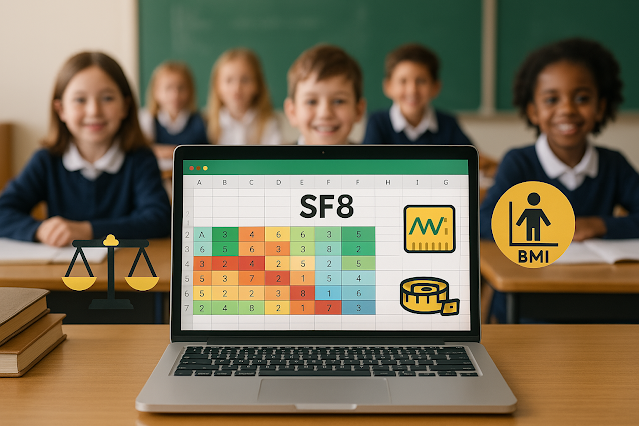
๐Ÿ“ฅ Download Automated SF8 With BMI Calculator – A Smarter Way to Monitor Student Health ๐Ÿ“Š

Why Modernize SF8?

In today’s digital age, traditional pen-and-paper forms no longer meet the demand for efficient health and nutrition reporting in schools. That’s why an automated SF8 form with a BMI calculator is essential. This new approach not only saves time but also ensures accurate learner health data. The Department of Education's School Form 8 (SF8) is crucial in tracking each student’s nutritional status and height-for-age (HFA) metrics—but imagine doing it in seconds, not hours.

๐Ÿ“˜ What Is SF8 and Why It Matters?

The SF8 or School Form 8 – Learner’s Basic Health and Nutrition Report is a DepEd-mandated document that records every student’s physical wellness, particularly weight, height, BMI (Body Mass Index), and nutritional assessment. It's applicable to all grade levels, from Kindergarten to Senior High School. The traditional process is tedious, but integrating an automated BMI calculator not only makes the process faster but also reduces manual errors.

CLICK HERE TO DOWNLOAD SF8 NOW.

According to DepEd Order No. 13, s. 2017, maintaining accurate health records is vital for effective intervention and feeding programs. With this, teachers and school health coordinators can monitor the nutritional trends among learners and respond with targeted health strategies.

⚙️ How the Automated SF8 With BMI Works

This innovation is designed with built-in formulas to calculate BMI, classify nutritional status (such as Normal, Wasted, Obese, etc.), and auto-fill Height-for-Age assessments. Teachers simply input a learner's weight and height, and the system will instantly display BMI and its corresponding category using World Health Organization (WHO) growth standards.

The tool uses this formula:

BMI = Weight (kg) ÷ [Height (m)]²

Once BMI is determined, it automatically falls into a category:

  • Severely Wasted

  • Wasted

  • Normal

  • Overweight

  • Obese

Meanwhile, HFA classification determines if the learner is Severely Stunted, Stunted, Normal, or Tall, providing another layer of health assessment.

๐Ÿ“ˆ The Benefits of an Automated SF8

Modernizing the SF8 form offers numerous advantages. First, it promotes data accuracy, minimizing human error in complex BMI calculations. Second, it drastically reduces workload for teachers and health officers who often have to compute dozens—if not hundreds—of learners manually.

Additionally, with its automated summary tables, schools can instantly generate reports by sex, nutritional status, and height-for-age, allowing quicker response to malnutrition and growth issues. According to the National Nutrition Council, timely health interventions are key to preventing long-term physical and cognitive issues in children.

๐Ÿ“‚ Why You Should Use This Version of SF8

This enhanced SF8 template is fully editable, Excel-based, and ready for school year roll-out. It’s designed based on the most recent forms distributed by DepEd and aligned with the 2017 SFRT standards. Whether you’re handling elementary, junior high, or senior high school learners, this tool ensures your health records are up-to-date and reliable.

It includes fields such as:

  • School Name, Grade, Section

  • Learner Reference Number (LRN)

  • Complete Name, Birthdate, Age

  • Weight, Height, BMI, BMI Category

  • Nutritional Status and HFA Remarks

It also auto-generates a Summary Table of results, so health coordinators can submit consolidated reports without delay.

✅ Trusted and Data-Aligned

This version follows data privacy protocols and is modeled after recommendations from DepEd Health and Nutrition Center (HNC) and UNICEF Philippines, which emphasize the importance of accessible digital health tools for education professionals.